For Shopify DTF and print shops
Your customers build the gang sheet.
You just print it.
A complete gang sheet builder embedded in your product page. Auto nesting, premium background removal, color knockout and halftones, vector conversion, and print ready checks, all feeding 300 DPI order-stamped files into your admin.
Free plan available. Billed through Shopify. Simple setup with no code changes.
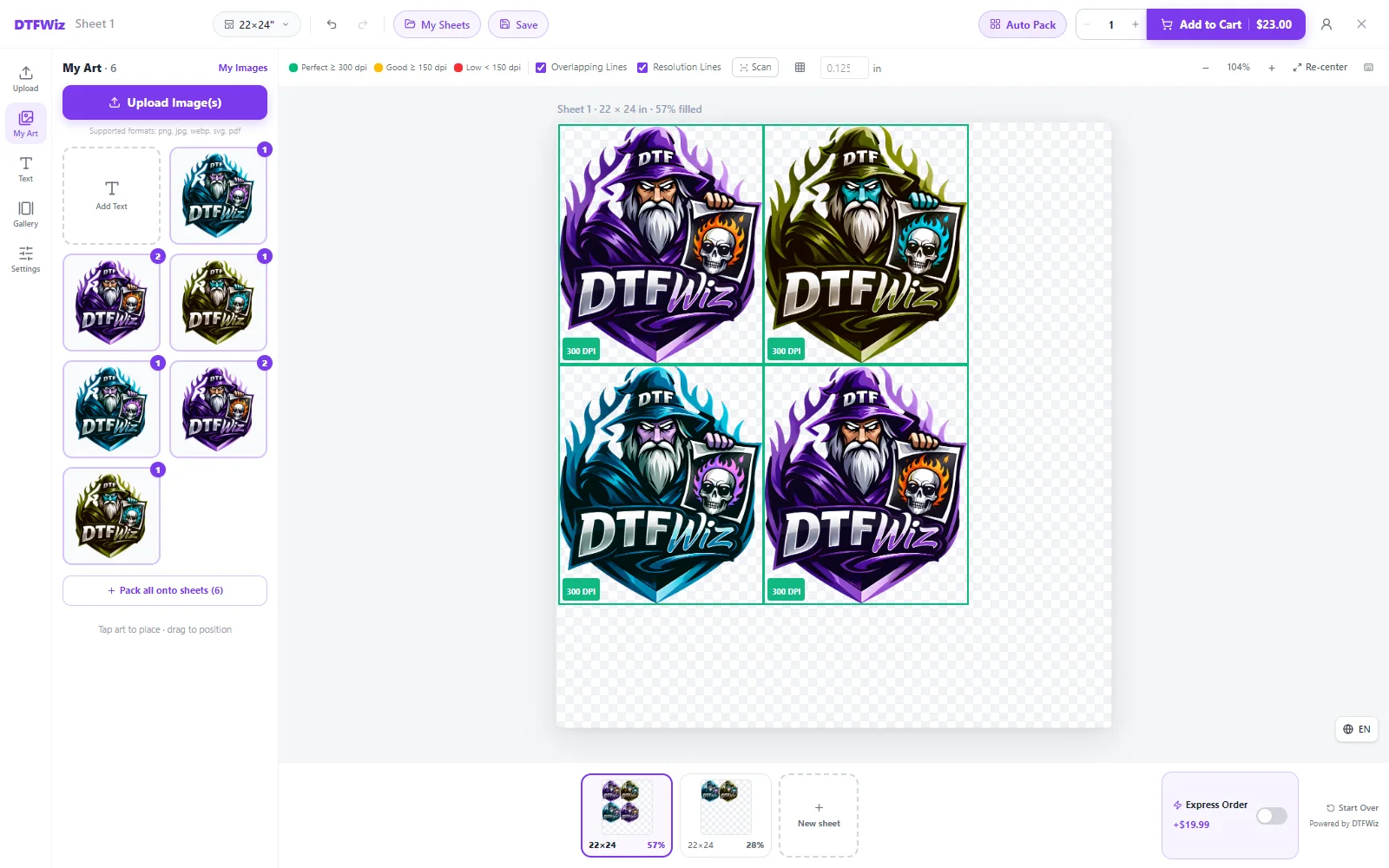
Everything a DTF storefront needs
Built by a print shop, for print shops. Every feature exists because an order needed it.
On the product page
A real canvas on your product page
Customers place, resize, rotate, and duplicate artwork on a live sheet sized to your rolls. Width is fixed to the roll and height computes automatically, the way DTF actually works.
Auto Pack nesting
Upload a pile of images and get a tightly packed sheet in one click. Rotation aware packing with best fit, straight cut, and grouped styles. Aspect ratios are never touched.
Instant Add to Cart
No waiting on a giant file at checkout. The print file composites on your server after payment, so customers hit Add to Cart and they are done.
Accounts that help, never a wall
Guests can build and buy without ever making an account, and their uploads clean themselves up so your storage never piles up. Customers who do sign in keep My Images and My Sheets on every device, with duplicate detection keeping the library clean.
It speaks their language
The whole builder runs in English, Spanish, or Polish. You choose which to offer and customers pick their own, remembered on their device.
Artwork tools
Color knockout and halftones
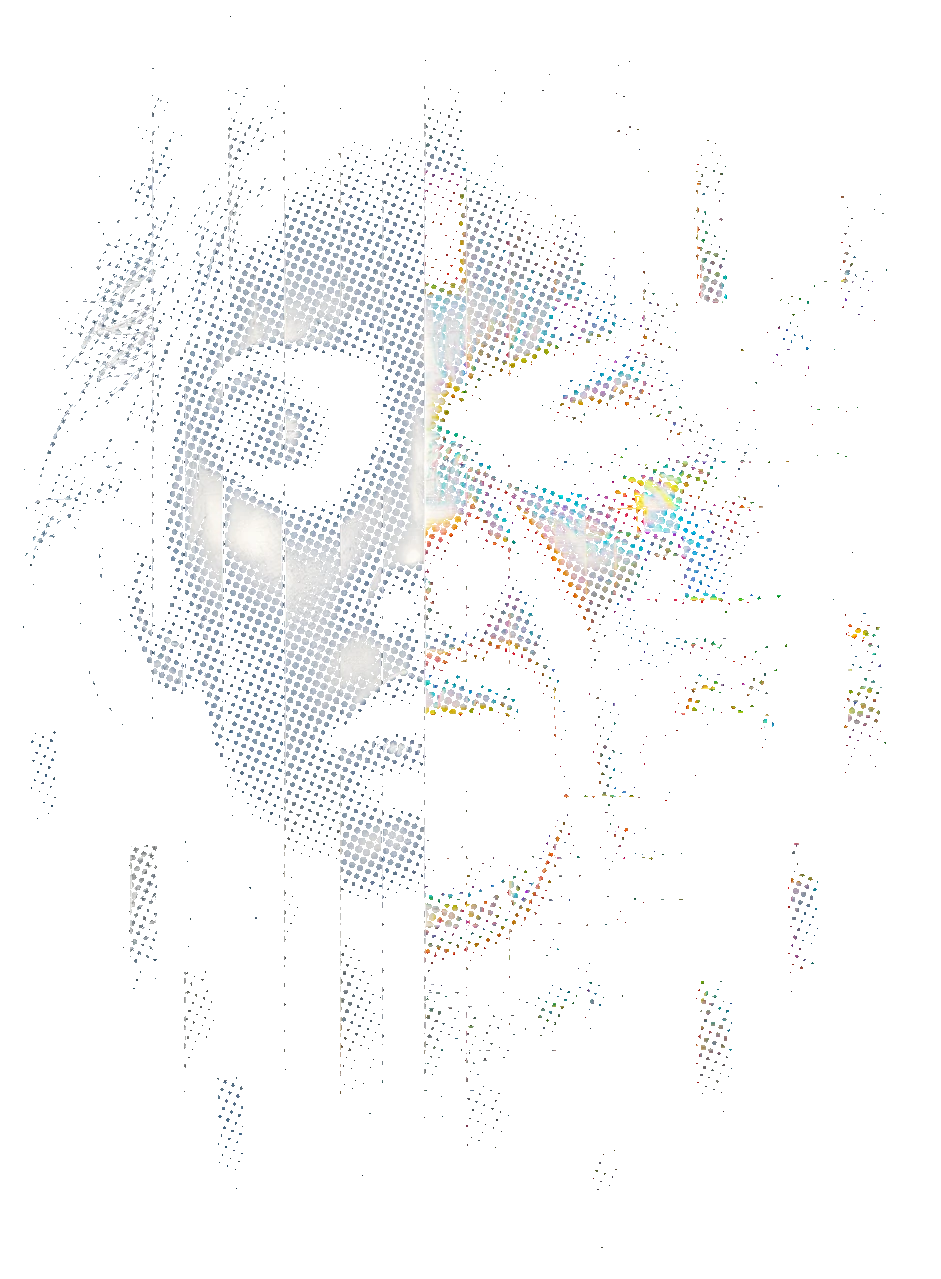
Drop a baked-in background color straight out of the artwork, then turn heavy solids into halftone dots sized for a 300 DPI transfer. Softer hand, cleaner press, less ink on the roll.
Premium background removal
One tap, running a premium commercial engine instead of a free model that chews through hair, thin outlines, and soft edges. Results save to the customer's library so nobody pays twice.
Convert to Vector
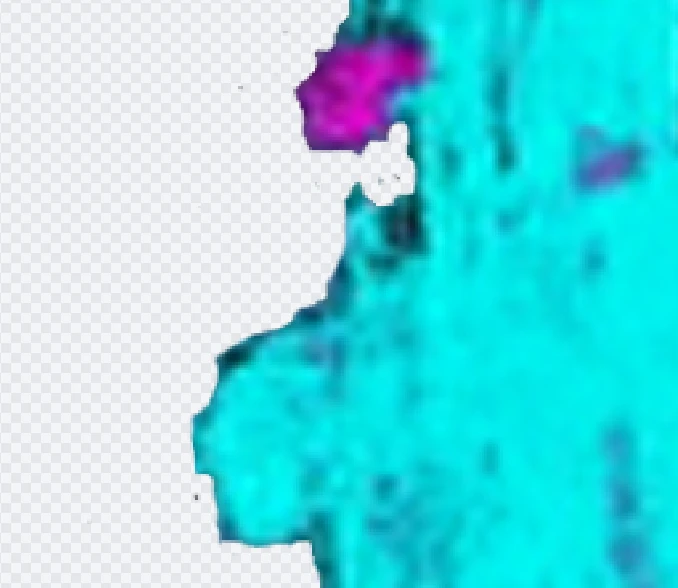
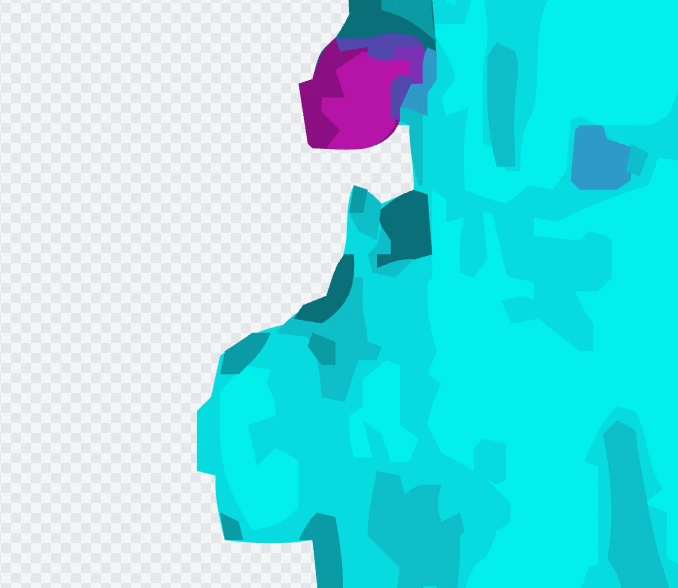
Trace a customer's pixel artwork into clean shapes, tap any color to swap it everywhere, and delete the pieces nobody wants. Sharp at four inches or forty.
Print Ready Check
Scans artwork for low DPI, leftover backgrounds, edge fringe, stray specks, and soft glows. One tap fixes, including halftone conversion, so problems get caught at the design stage instead of on the press.
Products you can sell
Transfer by Size with bulk discounts
A whole product type for single designs sold by the piece. Customers pick a size, set a quantity, and the per piece price steps down through discount tiers you set.
Uploads that size themselves
Customers with a finished sheet just upload it. The app reads the real print size out of the file and picks the matching sheet, so nothing lands mis-priced.
Your own design gallery
Stock the builder with ready-made artwork customers can drop onto a sheet, plus Pre-Made Transfer products for designs you sell as they are.
The editor does the heavy lifting
Real files, real output, one tap each. Nothing here is an illustration.
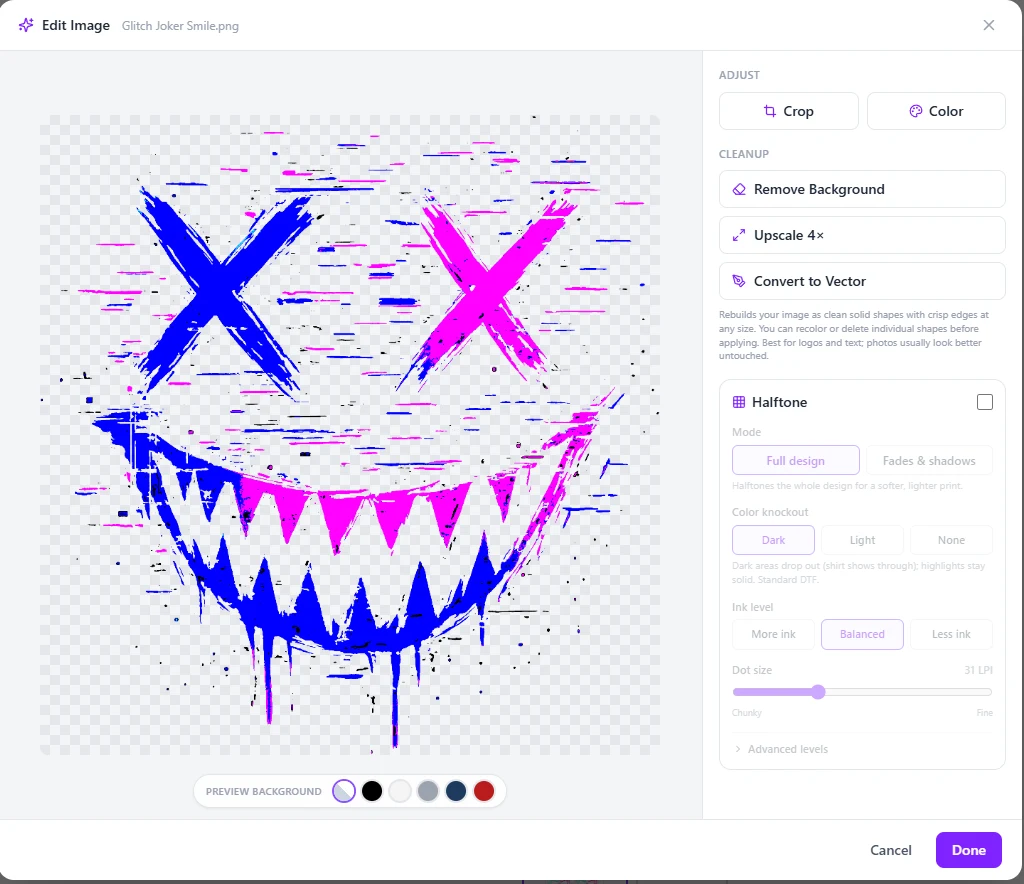
Lose the black box. Keep the artwork.
Color knockout drops the baked-in background so the design sits on the shirt instead of on a rectangle. Halftone then breaks heavy solid areas into dots sized for a 300 DPI transfer, so it presses soft and moves with the garment instead of sitting on it like a patch. Your ink usage drops right along with it.


Trace it. Recolor it. Print it crisp at any size.
Convert to Vector rebuilds artwork as clean shapes. Tap a color to swap it everywhere, delete pieces you do not want, and the result prints sharp at 4 inches or 40. Both panels below are the same lettering at the same zoom, straight out of the editor.
Background removal that respects the artwork.
One tap in the Edit Image panel runs a premium commercial engine, not a free model that eats hair, thin outlines, and soft edges. Results save straight to the customer's library so nobody pays for the same removal twice.
Built for how transfer shops actually sell
Four product types ship in the box. Here are two your customers will feel immediately.
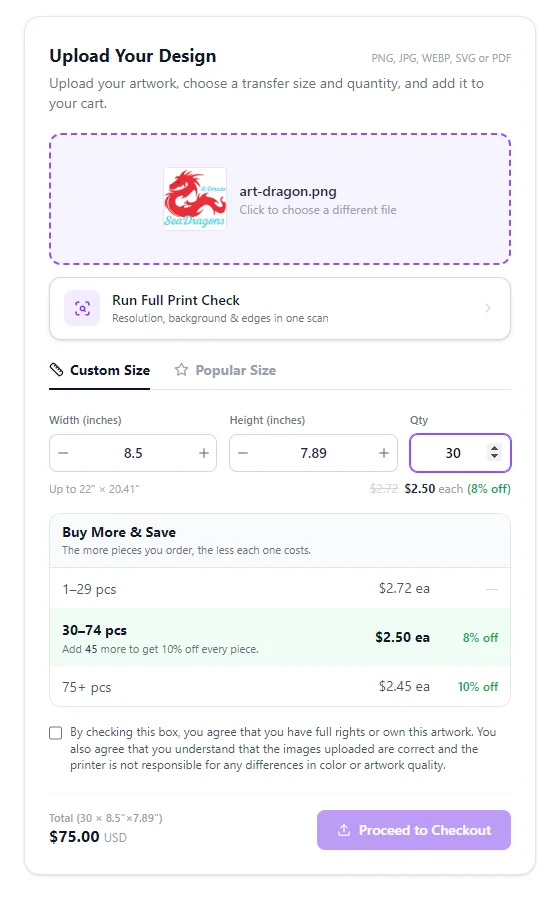
Transfer by Size, with bulk pricing built in.
Customers pick a size, set a quantity, and watch the per-piece price drop through your discount tiers. You pack hundreds of copies onto roll sheets from the admin in one click.
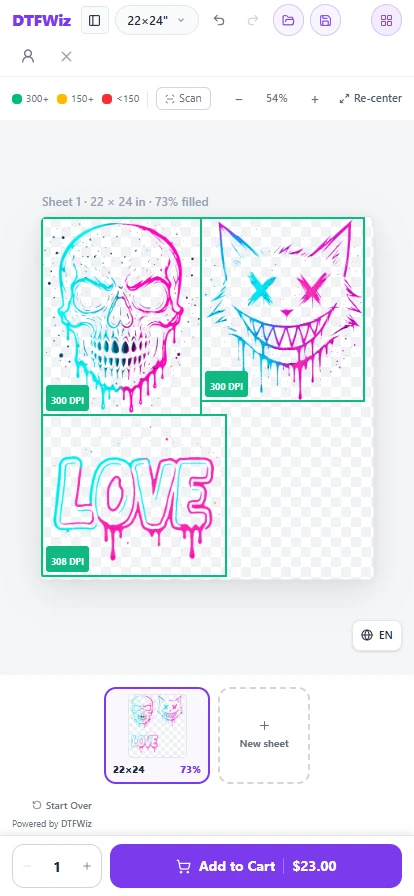
The whole builder, on a phone.
Most gang sheets get built on a phone, so the mobile layout is the real builder and not a stripped-back version of it. Customers drag, resize and nest on a touchscreen, watch the sheet fill, and add to cart without ever leaving the product page.
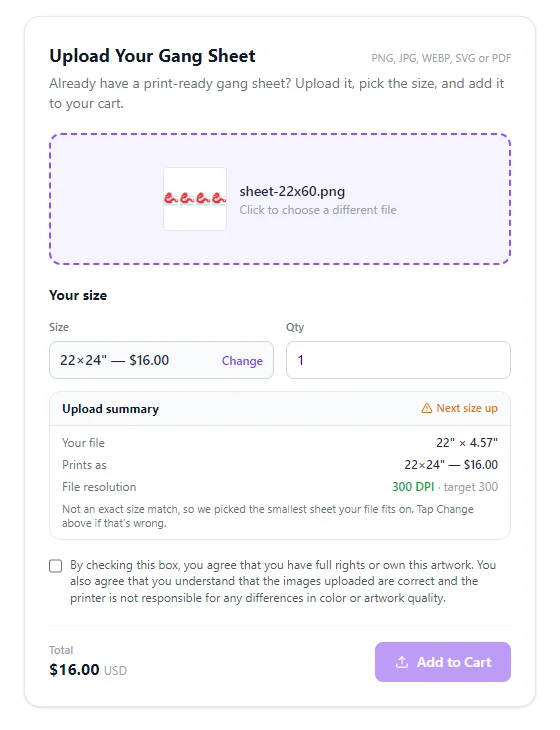
Uploads that size themselves.
When a customer uploads a finished sheet, the app reads the file's real print size and selects the matching sheet automatically. No guessing, no mis-priced orders, no support tickets.
And then there is your side of it
The builder is what your customers see. This is what you get every time one of them checks out.
Print files that match orders
Every sheet lands in your admin as a 300 DPI transparent PNG, named by your template. Stamp an info strip onto the sheet with the order name, and a QR code that scans straight to the order, or leave the sheet completely clean. Both are optional and the strip switches off per product.
Download it how you press it
PNG, TIFF, or PDF per sheet, or grab the whole order as one ZIP. The physical print size is written into the file, so your RIP never guesses.
White underbase, without Photoshop
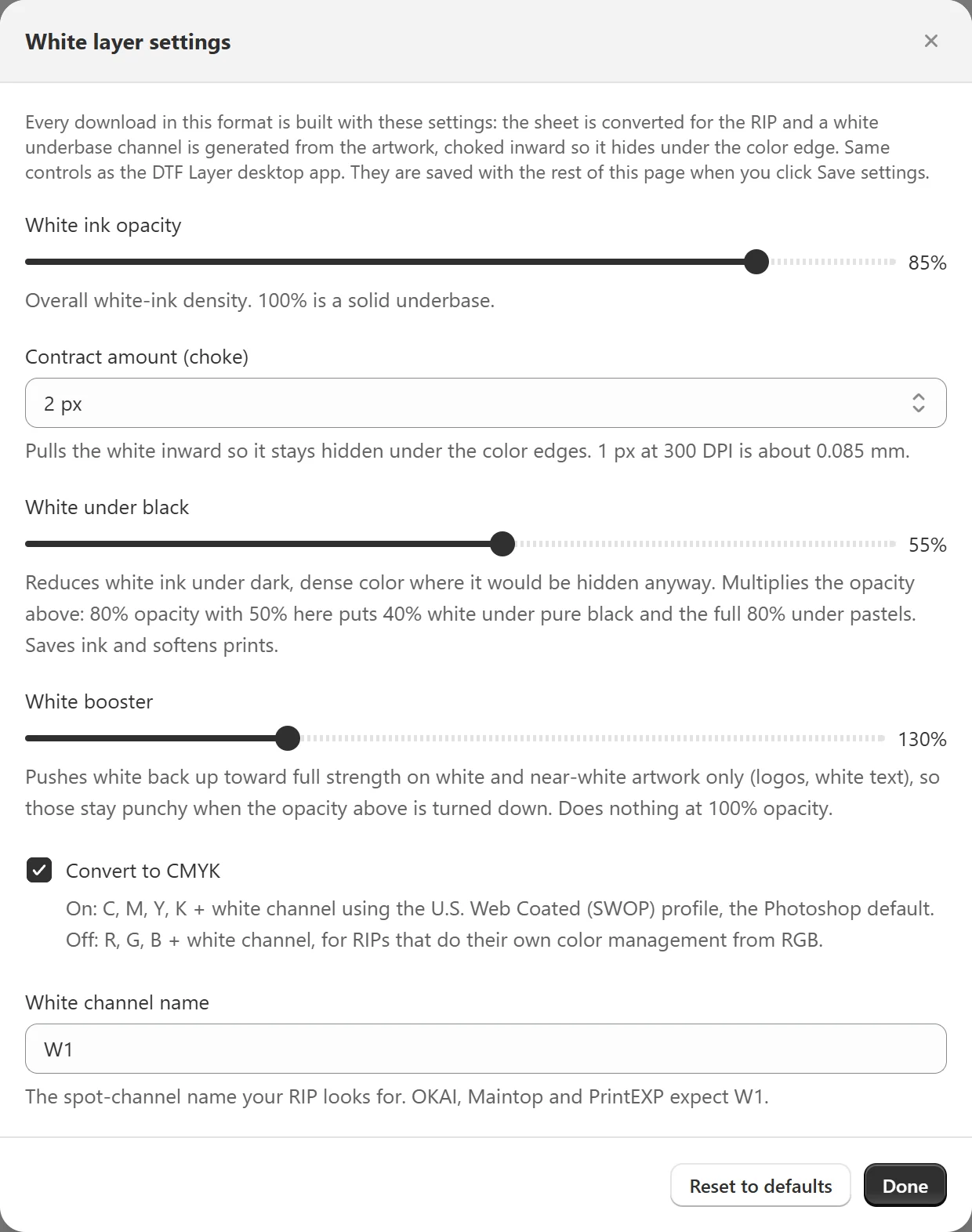
Pick TIFF with white layer and every sheet downloads with the white channel already built, choked under the color and named for your RIP. Set the density and the choke once, in settings.
Pack transfers onto roll sheets
Turn a pile of single transfer orders into full roll sheets with one click. 155 copies of one design becomes two files, a master marked PRINT x17 and a remainder, not 155 downloads.
Packing slips and order breakdowns
Every order shows a per design breakdown of what is on the sheet, plus a printable packing slip for the box. Flags for background and low DPI images ride along on the order.
Analytics that answer real questions
An Insights tab shows where customers drop off, from opening the builder to Add to Cart, which tools they actually use, and your top products, sizes, square footage, and revenue.
Every tool is a switch you own
Sizes, pricing, roll widths, margins, and each AI tool toggle per store and per product. Turn anything off that does not fit how you print.
Maintop users can skip the Photoshop step entirely
The white layer is built into the print-ready gang sheet.
White underbase, already in the file.
Choose TIFF with white layer as your file type. Every sheet downloads with the white channel already built, choked under the color and named W1, or whatever your RIP looks for.
Set it once. Every order after that comes out the same.
How it stacks up
We used the alternatives before building this. Here is where things stood when we evaluated them.
Swipe the table to see every column
| DTFWiz | Other builder A | Other builder B | |
|---|---|---|---|
| Canvas gang sheet builder on the product page | ✓ | ✓ | ✓ |
| Automatic nesting with rotation | ✓ | ✓ | ✓ |
| Deep print readiness scan with one tap fixes | ✓ | Partial | Partial |
| Halftone designer with color knockout | ✓ | No | ✓ |
| Convert to Vector with shape recoloring | ✓ | No | No |
| Smart quantity packing for bulk transfers | ✓ | No | No |
| Upload size auto detection | ✓ | No | No |
| White underbase channel written into the print file | ✓ | No | No |
Based on our hands-on evaluation of publicly available features, updated August 2026. Competitors ship updates too. If we got something wrong, tell us and we will fix it.
Live in an afternoon
Install and run guided setup
The app creates your gang sheet product, sizes, and pricing from a checklist. Sheet sizes map to real variants automatically.
Add the block to your theme
One app block on the product template. The builder replaces Add to Cart on gang sheet products and the rest of your store is untouched.
Download and print
Paid orders show up with print-ready files, stamped and named however you set it up. Download one, grab a ZIP, or pack transfers onto roll sheets. Then press.
Start free. Scale flat.
The Free plan stays free forever: 4% per gang sheet order, never more than $10. Flat plans drop the percentage and meter by printed square footage. Uploaded gang sheets never count toward any plan.
Free
- Unlimited sq ft
- 100 AI operations / mo, plus 5 per order
- Uploaded gang sheets never count
- All features included
Starter
- 1,800 sq ft / mo
- 500 AI operations / mo
- Uploaded gang sheets never count
- All features included
Growth
- 3,500 sq ft / mo
- 1,000 AI operations / mo
- Uploaded gang sheets never count
- All features included
Pro
- 10,000 sq ft / mo
- 2,500 AI operations / mo
- Uploaded gang sheets never count
- All features included
Business
- 30,000 sq ft / mo
- 6,000 AI operations / mo
- Uploaded gang sheets never count
- All features included
Unlimited
- Unlimited sq ft
- 15,000 AI operations / mo
- Uploaded gang sheets never count
- All features included
Every plan includes every feature. Plans differ only in volume. Billed through Shopify. Upgrade, downgrade, or cancel any time.
Uploaded gang sheets never count toward usage. When a customer uploads a finished, print-ready gang sheet, it uses none of your square footage and the Free plan never charges its percentage on it. Sheets made in the builder, rolling sheets, Transfer by Size and Image to Sheet orders are what count.
An AI operation is one background removal, one upscale, or one vector conversion. Ordinary uploads, nesting, halftones and print checks never count. On the Free plan the allowance grows with your store: 100 a month plus 5 more for every paid builder order, so a busy shop keeps its AI tools on. If an allowance does run out, only the AI buttons pause until the next cycle. Customers keep building and ordering as normal.
Questions shops actually ask
Are the files actually print-ready, and will they work with my RIP?
Yes, and yes if your RIP takes PNG. Every sheet is a transparent PNG at true 300 DPI with the physical print size embedded, so NeoStampa, Cadlink, Flexi, and friends read the real dimensions with no manual scaling. We never re-encode to JPEG and never silently downscale. Shops that need it can switch on wide gamut Adobe RGB output with the profile embedded. If your RIP wants the white underbase in the file, switch the file type to TIFF with white layer and the spot channel is built for you on download.
Will it work with my theme?
The builder ships as a Theme 2.0 app block. Add it to a product template in the theme editor and it takes over Add to Cart for gang sheet products. No theme code to touch.
Will this slow my store down?
The builder only loads on products using the gang sheet template. Your homepage, collections, and regular product pages never load a byte of it.
Can I set my own sizes and prices?
Yes. Sheet sizes are your product variants, so pricing is completely yours. Width follows your roll and you pick which heights to offer. Transfer by Size products get their own size list plus quantity discount tiers you control.
Can a sheet be changed after the order comes in?
Yes. Every order carries an Edit link straight to that customer's sheet. Open it from your admin, move or swap anything, resize the sheet if you need to, and save. The print file re-composites and re-stamps itself. Customers get their own Edit link while the item is still in their cart, locked to the size they picked. Once they pay, edits are yours alone.
How does billing work?
Through Shopify billing only, so it shows up on your Shopify invoice. The Free plan takes 4% per gang sheet order, capped at $10 per order, forever. Flat plans remove the percentage entirely. Uploaded ready-made gang sheets never count toward any plan.
Do uploaded gang sheets count toward my plan?
No. When a customer uploads a finished gang sheet, it never uses your square footage and the Free plan never charges its 4% on it. Only sheets built in the builder, rolling sheets, Transfer by Size and Image to Sheet orders count toward usage.
What happens if I go over my plan's square footage?
Orders keep flowing and customers are never blocked. Print file generation pauses until you upgrade or the month rolls over, and you can upgrade in one click from the app.
What if a customer uploads a bad image?
The builder warns about low DPI and leftover backgrounds while they design, and Print Ready Check fixes most problems in one tap. Anything that slips through arrives flagged on the order in your admin, so you know to look before you press.
What can I actually see about how customers use it?
An Insights tab in your admin. It shows the drop-off funnel from opening the builder through picking a size, uploading, placing art, and Add to Cart, so you can see exactly where people quit. It also shows which builder tools get used and which are dead weight, plus your top products, sizes, square footage, and revenue. No cookies and no personal data, just counts.
How long do you keep my order files?
We do not auto-delete order files. Every print file stays downloadable in your admin for as long as the app is installed. Anything a signed in customer saved stays with their account, and guest uploads that never became orders are cleared after about 30 days.
I already use another gang sheet app. How painful is switching?
Not very. The app creates its own products and its own theme template, so your existing setup is untouched. Run both side by side, compare a week of orders, then unpublish the old product whenever you are ready.
Put it on your store
Install in one click from the Shopify App Store. Already installed? Open it from your Shopify admin under Apps.
Get it on the Shopify App StoreFree plan. No card and no trial clock. You only ever pay through Shopify.